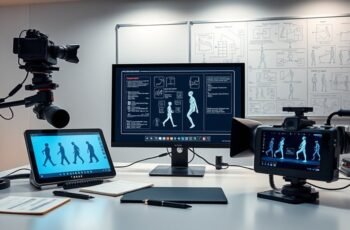
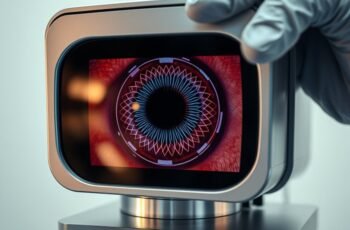
When troubleshooting a hand geometry system, we recognize that identifying and resolving issues requires a systematic approach to hardware, software, and environmental factors. Precise calibration, sensor maintenance, and network stability are essential to maintaining accuracy. Understanding common failure points helps us implement effective solutions quickly. As we explore these detailed procedures, you’ll see how each component plays a critical role in system reliability—yet, some challenges may only become clear through careful inspection and ongoing adjustments.
Key Takeaways
- Inspect sensor alignment, physical condition, and cleanliness to ensure accurate hand recognition.
- Verify hardware connections, power stability, and perform diagnostics for potential component failures.
- Check environmental factors like lighting, temperature, and dust that may impact sensor performance.
- Ensure system software is up-to-date, calibrated regularly, and compatible with hardware standards.
- Implement robust security protocols, including encryption and access controls, during troubleshooting procedures.
Common Causes of Hand Geometry System Failures
Many hand geometry system failures stem from hardware malfunctions or environmental factors that interfere with accurate data capture. In biometric authentication, precise measurement of hand dimensions is critical, and issues like sensor misalignment, worn-out optical components, or damaged scanners can compromise data integrity. Temperature fluctuations, humidity, and dust accumulation can also impair sensor performance, leading to inconsistent readings. Electrical noise or power surges may cause hardware instability, resulting in system errors or data loss. Additionally, poor lighting conditions or reflective surfaces near the scanner can distort hand images, affecting measurement accuracy. These factors collectively hinder the system’s ability to reliably authenticate users, emphasizing the importance of maintaining hardware integrity and controlling environmental variables to guarantee effective hand geometry biometric authentication.
How to Calibrate and Re-Register Hand Data Effectively
To guarantee ideal performance of the hand geometry system, we must accurately calibrate the scanner and re-register hand data when necessary. Proper calibration begins with precise hand alignment, ensuring the subject’s hand is positioned consistently with initial reference points. During re-registration, verify that the hand’s position matches previous data, adjusting for any deviations. Data validation is essential; cross-check new measurements against stored templates to confirm accuracy. This process involves reviewing calibration logs and confirming that the hand’s geometry aligns within acceptable tolerances. If discrepancies are detected, recalibrate or re-register the data, recalibrating the scanner’s sensors if needed. Consistent hand alignment and rigorous data validation maintain system reliability, minimizing recognition errors and optimizing overall performance.
Troubleshooting Poor Hand Recognition Accuracy
When hand recognition accuracy begins to decline despite proper calibration and registration, it indicates underlying issues that require systematic troubleshooting. Variations in biometric accuracy can stem from environmental factors, such as inconsistent lighting or temperature fluctuations, which affect sensor readings. Additionally, subtle changes in hand positioning or finger placement may compromise recognition consistency, even with correct registration. We should verify that the hand is positioned uniformly during each scan and ensure the sensor surface remains clean and free of debris. Analyzing recognition logs can reveal patterns of misclassification or increased false rejection rates. Calibration drift over time may also reduce accuracy, so periodic recalibration is essential. By methodically examining these factors, we can pinpoint the root causes and restore reliable hand recognition and biometric accuracy.
Resolving Hardware and Sensor Malfunctions
Hardware and sensor malfunctions can profoundly impair the performance of a hand geometry system, making it essential to conduct thorough inspections and diagnostics. Faulty sensors or damaged hardware can obscure hand biometric data, leading to recognition failures or security vulnerabilities, especially if data encryption protocols are compromised. To diagnose issues, we systematically check sensor alignment, inspect for physical damage, and verify power supply integrity. We also guarantee that hardware components are compatible with the system’s encryption standards.
| Issue | Impact |
|---|---|
| Sensor misalignment | Incorrect data capture, recognition errors |
| Hardware damage | System crashes, data loss |
| Power inconsistencies | Unreliable operation, security risks |
| Encryption failures | Data exposure, compromised biometric security |
Fixing Connectivity and Network Issues in Hand Geometry Systems
To address connectivity and network issues, we start by verifying the integrity of all network connections, ensuring cables, switches, and routers are properly configured and functioning. Next, we identify any hardware conflicts by examining device manager logs and network interface settings for conflicts or errors. Correctly diagnosing these issues allows us to implement targeted fixes that restore stable communication between the system components.
Checking Network Connections
Have you verified that all network cables are securely connected and free from damage? Loose or damaged cables can cause intermittent connectivity issues. Check that Ethernet cables are properly seated in the port and inspect for any signs of wear or fraying. Next, examine the power supply to guarantee consistent power delivery, as fluctuations can affect network equipment performance. Wireless interference can also disrupt network stability; verify that the hand geometry system isn’t positioned near devices emitting radio signals, such as microwaves or cordless phones. If interference persists, consider relocating the system or adjusting wireless channel settings to minimize conflicts. Confirm that all network hardware, including switches and routers, are functioning correctly and that there are no alert indicators or error messages.
Resolving Hardware Conflicts
When addressing connectivity issues in a hand geometry system, identifying and resolving hardware conflicts is essential for restoring stable operation. We begin by checking for driver conflicts or resource allocation issues within the device manager, ensuring that hardware components such as sensors, USB ports, and controllers are correctly recognized and allocated. User training plays a critical role here; improper handling can cause physical disconnections or damage. We also consider environmental factors like electromagnetic interference or temperature fluctuations that may disrupt hardware function. To mitigate conflicts, we verify that all hardware components are compatible with system specifications and update drivers as needed. Properly educating users on correct handling and maintaining an *ideal* environment helps prevent recurring hardware conflicts, ensuring continuous, reliable system performance.
Preventative Maintenance to Avoid System Disruptions
Regular system calibration guarantees sensor accuracy and consistent identification, preventing false rejections or acceptances. Scheduled software updates address security vulnerabilities and incorporate improvements that enhance system stability. Implementing these preventative measures minimizes downtime and maintains peak system performance.
Regular System Calibration
To guarantee the hand geometry system functions accurately and consistently, implementing routine calibration procedures is essential. Proper calibration ensures the system maintains measurement precision, especially given variations in ergonomic design and user interaction. Regular calibration involves verifying sensor alignment, adjusting measurement thresholds, and confirming the system’s response to standardized hand models. User training plays a vital role, emphasizing correct hand placement and consistent positioning during calibration.
| Calibration Focus | Key Outcome |
|---|---|
| Sensor Alignment | Accurate data collection |
| Threshold Adjustment | Consistent measurement criteria |
| Response Verification | Reliable system performance |
Scheduled Software Updates
Scheduled software updates form a critical component of preventative maintenance for the hand geometry system, ensuring all software components operate efficiently and security vulnerabilities are promptly mitigated. Regular updates enhance the user interface, providing a more intuitive and responsive experience, which minimizes user errors and system misinterpretations. These updates also strengthen data encryption protocols, safeguarding sensitive biometric data from potential breaches. We prioritize testing updates in controlled environments before deployment to prevent compatibility issues with existing hardware and calibration settings. Maintaining an up-to-date system guarantees seamless integration with security patches, performance improvements, and new features. Ultimately, disciplined scheduling of software updates reduces system downtime, preserves data integrity, and extends system longevity, ensuring reliable and secure operation in high-demand environments.
When and How to Update System Software and Firmware
Updating system software and firmware should be performed whenever the manufacturer releases critical patches, security updates, or performance enhancements. We recommend scheduling updates during periods of low system activity to minimize disruption. Before updating, verify software compatibility with your existing hardware and peripherals to prevent integration issues. Proper user training is essential to guarantee staff understand update procedures and recognize potential issues. Always follow manufacturer instructions precisely and back up system data beforehand. Post-update, conduct thorough testing to confirm compatibility and stability. Regular updates help maintain peak performance and security, reducing troubleshooting time. By adhering to these protocols, you guarantee a smooth update process, keep users informed, and minimize the risk of system incompatibilities affecting hand geometry authentication.
Tips for Enhancing Security and User Access During Troubleshooting
Implementing robust security measures during troubleshooting is essential to prevent unauthorized access and protect sensitive data. We recommend strengthening user authentication protocols by requiring multi-factor authentication (MFA) before allowing access to the system. Make certain that access control policies are strictly enforced, limiting permissions to only those necessary for troubleshooting tasks. Regularly review user roles and revoke unnecessary privileges to minimize security risks. Conduct authentication audits to verify that only authorized personnel are accessing system components. Use encrypted channels for all remote connections and log all access activities for accountability. By maintaining strict user authentication and access control, we can mitigate potential vulnerabilities during troubleshooting, ensuring data integrity and system security are upheld throughout the process.
Frequently Asked Questions
How Do I Reset the Entire Hand Geometry System to Factory Settings?
We reset the hand geometry system to factory settings by performing a system calibration, then executing a firmware update, and finally selecting the “factory reset” option in the system menu, ensuring all configurations revert to default.
What Are the Signs of a Failing Hand Scanner Sensor?
We notice signs of a failing hand scanner sensor through inconsistent readings, calibration errors, or failure to recognize authorized users. Regular sensor calibration and thorough hardware inspection help identify issues early, ensuring reliable performance and preventing system downtime.
Can Environmental Factors Affect Hand Recognition Reliability?
Could environmental interference compromise hand recognition reliability? Yes, fluctuations in temperature, humidity, or lighting can impact calibration accuracy, leading to inconsistent scans. We recommend controlling environmental conditions to guarantee consistent, accurate hand recognition performance.
How Often Should System Backups Be Performed?
We recommend performing system backups daily to guarantee data integrity, incorporating data encryption during backups, and regularly updating user authentication protocols to prevent unauthorized access, maintaining consistent security standards for reliable hand recognition system performance.
What Steps Should Be Taken if User Access Is Unexpectedly Denied?
Ever wondered how to resolve access denial? We check for user credential issues, verify recent software update procedures, and reset permissions. These steps guarantee accurate troubleshooting, restoring access while maintaining system integrity and security.
Conclusion
Just as a master craftsman fine-tunes their tools for precision, we must meticulously maintain our hand geometry systems. Regular inspections, calibration, and updates guarantee accuracy, much like sharpening a blade before use. By adhering to best practices and addressing issues promptly, we keep the system operating smoothly—preventing disruptions and safeguarding data. In the end, diligent care transforms a complex setup into a reliable, secure asset, much like an artisan perfecting their craft through consistent effort.