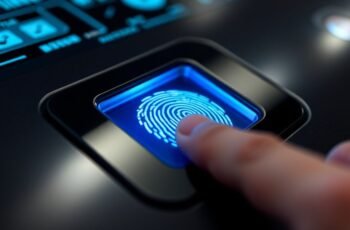
In today’s digital landscape, safeguarding sensitive data is more critical than ever, and enterprise fingerprint security solutions play a crucial role in that effort. We recognize that choosing the right technology involves weighing accuracy, privacy, and ease of integration. With a variety of options available, it’s essential to identify the features that best align with organizational needs. Let’s explore some of the top solutions and what makes them stand out in providing reliable protection.
Key Takeaways
- Prioritize solutions with FBI-certified biometric devices utilizing Match-On-Chip technology to ensure secure, private fingerprint data storage.
- Choose solutions supporting industry standards like FIDO2, U2F, and CTAP 2.1 for broad interoperability and high security.
- Opt for hardware with enterprise-grade encryption (AES-256) and anti-spoofing features to protect against biometric fraud.
- Ensure compatibility with organizational infrastructure and seamless deployment across various device platforms.
- Select durable, ergonomic biometric devices with quick recognition speeds and multi-user management for reliable, efficient access control.
Kensington VeriMark USB Fingerprint Reader for Windows
The Kensington VeriMark USB Fingerprint Reader is an ideal choice for organizations seeking robust, passwordless authentication options. It’s FIDO U2F certified and compatible with FIDO2 WebAuthn, supporting secure, multi-factor, and Tap-and-Go authentication across major browsers. Certified for Windows Hello and Windows Hello for Business, it integrates seamlessly with Microsoft services like Office365 and Outlook. Its Match-in-Sensor technology delivers fast, high-performance biometric recognition with 360° readability, and anti-spoofing features ensure security surpasses industry standards. With a flexible 3.9 ft. USB cable, it offers convenient placement, making it suitable for various environments, including federal institutions and compliance-driven organizations.
Best For: organizations and individuals seeking secure, passwordless biometric authentication compatible with Windows and major browsers.
Pros:
- FIDO U2F and FIDO2 WebAuthn certification ensure broad, standards-based security support.
- High-performance Match-in-Sensor fingerprint technology with 360° readability for quick access.
- Seamless integration with Windows Hello and Microsoft services like Office365 and Outlook.
Cons:
- Does not support Windows ARM-based computers, limiting device compatibility.
- Requires a USB-A port and a 3.9 ft. cable, which may limit placement options in some setups.
- Primarily designed for Windows environments, may have limited functionality on other operating systems.
VeriMark Guard 2.1 USB-C Fingerprint Security Key
For organizations seeking seamless, high-security authentication, the VeriMark Guard 2.1 USB-C Fingerprint Security Key offers advanced biometric protection with 360° readability and anti-spoofing technology. It supports FIDO2 and U2F standards, enabling secure, passwordless sign-ins across multiple platforms, including Microsoft, Google, and Apple. Its compact design, measuring about 5.08 x 3.15 inches, is portable and durable, with a protective cover. Certified for Microsoft Entra ID and compliant with privacy laws like GDPR, it’s trusted in government and enterprise settings. This device provides quick, reliable biometric authentication, helping organizations reduce risks associated with weak passwords and data breaches.
Best For: organizations and professionals seeking high-security, passwordless biometric authentication solutions that are compatible across multiple platforms and compliant with enterprise standards.
Pros:
- Supports FIDO2 and U2F standards for enhanced security and seamless integration.
- Compact, portable design with protective cover for durability and convenience.
- Certified for Microsoft Entra ID and compliant with privacy regulations like GDPR, BIPA, and CCPA.
Cons:
- Limited to USB-C ports, which may require adapters for some devices.
- Higher cost compared to basic security keys without biometric features.
- Availability and warranty details may vary depending on the retailer or region.
Verifi Smart P5150 Biometric Fingerprint Sensor
The Verifi Smart P5150 Biometric Fingerprint Sensor is ideal for businesses seeking seamless, fast, and secure PC login solutions. Its sleek black and silver design combines style with robust security, making it suitable for various environments. Setup is quick and easy with Windows Hello, ensuring smooth integration with Windows PCs. The device offers versatile USB Type A connectivity, allowing straightforward fingerprint logins that enhance security and user convenience. Designed for efficiency, it provides fast, seamless access, simplifying user authentication while safeguarding sensitive data. Overall, the Verifi Smart P5150 delivers a reliable, durable solution for enterprise-level biometric security needs.
Best For: businesses and professionals seeking a secure, efficient, and stylish biometric fingerprint sensor for seamless PC login and enhanced data security.
Pros:
- Easy to install and integrate with Windows Hello for quick setup
- Durable, sleek design suitable for various environments
- Provides fast and secure fingerprint authentication for improved user convenience
Cons:
- Limited to Windows operating systems, reducing compatibility with other platforms
- USB Type A connection may limit flexibility compared to wireless options
- Potential sensitivity issues if fingerprints are dirty or damaged
Windows Hello Fingerprint Scanner for PC
Designed as an offline physical vault, the Windows Hello Fingerprint Scanner offers top-tier security for professionals handling sensitive data. Its sleek silver finish and lightweight design make it portable yet durable, perfect for daily use, travel, or professional environments. Made of aluminum alloy with a matte metal finish, it supports USB Type-C and is compatible with Windows 7 and above. The device encrypts data locally without relying on the cloud, safeguarding private keys and credentials from remote hacking. Recognizing fingerprints from any angle, it provides quick access with recognition speeds as fast as 0.1 seconds, ensuring secure, passwordless login across various work setups.
Best For: professionals, remote workers, and privacy-focused users seeking secure, offline biometric authentication for sensitive data protection.
Pros:
- Localized security with offline data encryption, eliminating reliance on cloud services.
- Fast 0.1-second fingerprint recognition supporting 360° touch for seamless access.
- Portable, durable design made of aluminum alloy, suitable for daily use and travel.
Cons:
- Does not currently support Windows Hello Enhanced Security Features (ESS).
- Limited to Windows 7 and above, potentially excluding older systems.
- Requires USB Type-C port, which may necessitate adapters on some devices.
Biometric Access Control System with Fingerprint & RFID
This biometric access control system offers high-precision fingerprint scanning combined with RFID capability, making it ideal for enterprises needing secure, versatile entry management. It features an optical fingerprint scanner, supporting up to 3,000 RFID users, and a keypad for PIN entry. With support for 100,000 access logs, it guarantees thorough tracking. Its user-friendly interface includes a 2.4-inch LCD display and on-device management for adding users and settings. Multiple access modes—fingerprint, PIN, and RFID—offer flexibility. The system’s magnetic lock, infrared exit button, and visitor alert features enhance security and convenience, all in a straightforward, easy-to-install package.
Best For: organizations seeking a secure, versatile, and easy-to-manage access control solution for high-traffic environments.
Pros:
- Supports up to 3,000 RFID users and 100,000 access logs for comprehensive management.
- Multiple access modes (fingerprint, PIN, RFID) enhance flexibility and security.
- User-friendly interface with on-device management and a color LCD display simplifies setup and operation.
Cons:
- Installation may require technical expertise despite being designed for straightforward setup.
- Limited to indoor use; not suitable for harsh outdoor environments without additional weatherproofing.
- The system’s capacity may be overkill for small-scale applications or low-security needs.
TEC ESS Biometric USB Fingerprint Scanner for Windows
For organizations prioritizing privacy, the TEC ESS Biometric USB Fingerprint Scanner keeps fingerprint data securely on the device using Match-On-Chip technology. It offers seamless setup via a QR code, with support for Windows 10/11 and plug-and-play operation—no software needed. The scanner provides 360° recognition with 99.999% accuracy and supports up to 10 fingerprints, making it suitable for shared devices. It delivers instant login in less than a second, ensuring quick access. Built with durable, enterprise-grade materials, it includes a 1.5-meter cable and is TAA certified. Plus, it guarantees privacy with no cloud storage, fully supporting Windows Hello for Business.
Best For: organizations and individuals prioritizing privacy, quick access, and reliable biometric security for shared or enterprise-use computers.
Pros:
- Keeps fingerprint data securely on the device with Match-On-Chip technology, ensuring privacy.
- Fast and seamless login in less than a second, improving productivity.
- Compatible with Windows Hello for Business and designed for durability in enterprise settings.
Cons:
- Limited to saving up to 10 fingerprints, which may be insufficient for some users.
- No software installation required, which might limit customization options.
- Requires scanning QR code for setup, which may be an extra step for some users.
Verifi P6000 Fingerprint Reader – Windows Hello, FBI Approved
The Verifi P6000 Fingerprint Reader offers FBI-certified biometric security, making it ideal for organizations that prioritize high-level data protection. It enables secure, password-free login to Windows devices via fingerprint authentication, supporting Windows Hello and Windows Hello for Business. The device allows multiple fingerprint enrollments, providing quick, one-touch access for different users on the same machine. Built with a durable all-metal housing, it’s designed for daily use in busy environments. Its plug-and-play setup assures effortless connection to Windows laptops or desktops without extra software. Seamlessly integrating with Windows Hello, the Verifi P6000 delivers reliable, efficient biometric security backed by government-approved standards.
Best For: organizations and professionals seeking high-security, FBI-approved biometric authentication for Windows devices in busy or sensitive environments.
Pros:
- Provides FBI-certified, government-standard biometric security for reliable protection
- Supports multiple fingerprint enrollments for quick, one-touch access for multiple users
- Easy plug-and-play setup with no additional software required, ensuring seamless integration
Cons:
- Limited to Windows-based systems, reducing versatility with other operating platforms
- May require compatible hardware or ports, which could be a constraint for some devices
- Does not include additional features like multi-factor authentication beyond fingerprint recognition
Adesso USB Fingerprint Reader with Windows Hello Security
Adesso USB Fingerprint Reader offers a seamless, Windows Hello-compatible biometric solution ideal for enterprises prioritizing quick, secure device access. Its plug-and-play design makes setup effortless, enabling users to authenticate with a simple fingerprint scan. The device features enterprise-grade AES-256 encryption and MATCH ON CHIP technology, which guarantees 360-degree fingerprint recognition and anti-spoofing protection. With a false acceptance rate under 1/100,000 and fast matching in approximately 0.05 seconds, it combines accuracy with efficiency. Manufactured in Taiwan and compliant with TAA standards, it’s backed by lifetime US-based support, making it a reliable choice for organizations seeking robust biometric security.
Best For: organizations and enterprises seeking a secure, easy-to-use biometric authentication solution compatible with Windows Hello for quick device access and enhanced security.
Pros:
- Seamless plug-and-play setup with Windows Hello compatibility
- Enterprise-grade AES-256 encryption and MATCH ON CHIP anti-spoofing technology
- Fast authentication with a matching time of approximately 0.05 seconds
Cons:
- Limited to Windows operating systems only
- May require specific hardware ports for optimal connection
- Potential higher cost compared to traditional password security methods
DigitalPersona URU4500 USB Fingerprint Scanner
The DigitalPersona URU4500 USB Fingerprint Scanner offers robust biometric authentication with a rugged, compact design ideal for enterprise environments. Its durable metal casing resists unintentional movement and withstands tough conditions. The scanner captures fingerprint images at 512 dpi resolution in 8-bit grayscale, ensuring accurate recognition. It features a red LED indicator that signals successful captures and supports latent print rejection for added security. Compatible with Windows 10 and 11, it works seamlessly with various authentication software. Its rotation-invariant sensor provides reliable recognition from multiple angles, while encrypted data transmission guarantees secure fingerprint handling. Overall, it’s a dependable, enterprise-grade biometric solution.
Best For: organizations seeking a durable, high-precision biometric scanner for secure authentication in enterprise environments.
Pros:
- Rugged metal casing ensures durability and resistance to tough conditions
- High-resolution 512 dpi imaging provides accurate fingerprint recognition
- Supports encrypted data transmission for enhanced security
Cons:
- May require specific software compatibility considerations for integration
- Limited to biometric authentication, not multifunctional
- Slightly larger size compared to more compact fingerprint scanners
ATKey.Pro Bio-Touch USB-A Security Key for Passwordless Login
For organizations prioritizing biometric security, ATKey.Pro Bio-Touch USB-A Security Key offers fast, passwordless login with reliable fingerprint authentication. Supporting FIDO2 and U2F, it works seamlessly across Windows, Mac, Linux, and Chromebooks. The device stores up to 10 fingerprints, enabling secure, PIN-less access in under a second, even on rotating or convertible devices. Its compact design and side-mounted sensor make it portable and easy to use. Certified for top security standards, it eliminates password reliance and enhances user convenience. Ideal for multi-endpoint environments, this security key guarantees robust biometric protection without sacrificing speed or ease of access.
Best For: organizations and individuals seeking fast, secure, passwordless biometric authentication across multiple operating systems and devices.
Pros:
- Supports FIDO2 and U2F protocols for broad compatibility and secure login options.
- Fast fingerprint recognition under one second, even on rotating or convertible devices.
- Compact, portable design with biometric security, eliminating the need for passwords or PINs.
Cons:
- Customer reviews indicate moderate satisfaction, suggesting potential room for improvement.
- Limited to storing up to 10 fingerprints, which may be insufficient for users with many authorized devices.
- Requires subscription for certain features like device login via Entra ID.
Factors to Consider When Choosing Enterprise Fingerprint Security Solutions

When selecting enterprise fingerprint security solutions, we need to take into account how well they integrate with existing systems and meet industry security standards. It’s also important to assess biometric accuracy, device durability, and ease of deployment to ensure reliable and long-term protection. By focusing on these factors, we can choose solutions that are both effective and practical for our organization.
Compatibility With Systems
Ever wondered how to guarantee your enterprise fingerprint security solution fits seamlessly into your existing infrastructure? The key is verifying compatibility with your current operating systems like Windows, macOS, Linux, or ChromeOS. You also want to verify that the device supports standard biometric protocols such as FIDO2, U2F, or Windows Hello for smooth integration. Compatibility with your existing security frameworks, like Active Directory or Entra ID, is essential for streamlined management. Additionally, check if the hardware interfaces—USB-A, USB-C, or others—work with your organization’s devices and infrastructure. Finally, consider whether the solution supports enterprise features like multi-user management, bulk enrollment, and remote deployment across various system configurations. These factors ensure your fingerprint security system integrates perfectly without disrupting your workflow.
Security Certification Standards
Choosing the right fingerprint security solution isn’t just about compatibility; it also depends heavily on security certification standards that verify a device’s trustworthiness. Certifications like FBI PIV, FIDO2, and CTAP 2.1 confirm that biometric devices meet strict security and interoperability requirements. These standards guarantee that the fingerprint sensors have undergone rigorous testing for high accuracy and anti-spoofing capabilities, such as FBI CPL certification. Additionally, compliance with privacy regulations like GDPR, BIPA, and CCPA demonstrates a commitment to protecting user data and maintaining regulatory standards. Meeting enterprise-grade certification standards helps organizations mitigate security risks and establish a trusted biometric authentication process. Ultimately, verifying these certifications is vital for selecting a secure, reliable fingerprint solution that safeguards sensitive information.
Biometric Accuracy Levels
How do we guarantee that a fingerprint security solution accurately verifies identities? It all comes down to biometric accuracy levels, measured by false acceptance rate (FAR) and false rejection rate (FRR). A lower FAR (like 0.001%) means fewer unauthorized entries, while a reduced FRR (around 2%) minimizes user inconvenience from misidentification. Advanced sensors with 360° recognition technology can scan fingerprints from any angle, boosting accuracy. Match-on-chip technology processes data locally, reducing errors caused by data transmission issues. Consistently high accuracy is essential in enterprise security; it prevents unauthorized access while ensuring legitimate users aren’t wrongly rejected. By considering these factors, organizations can select fingerprint solutions that reliably protect sensitive data without compromising user experience.
Device Durability and Design
When selecting enterprise fingerprint security solutions, device durability and design are critical factors that directly impact long-term performance and user satisfaction. Durable devices are built with high-quality materials like aluminum alloy or metal housings, guaranteeing they withstand daily use and environmental stresses. Their compact, lightweight profiles make them portable and versatile for various setups without sacrificing robustness. Features such as scratch-resistant surfaces and sealed casings protect internal sensors from dust, moisture, and physical damage. Additionally, ergonomic and user-friendly designs promote quick, comfortable fingerprint scans, enhancing user experience and reducing errors. Ruggedized options often include reinforced cables and protective covers, preventing wear and tear over extended periods. Prioritizing durability and thoughtful design ensures reliable, long-lasting security solutions for enterprise environments.
Ease of Deployment
Device durability and design are crucial, but ease of deployment can considerably influence the effectiveness of an enterprise fingerprint security solution. We look for solutions that offer straightforward installation, such as plug-and-play features or QR code-guided setup, to minimize setup time. Compatibility with existing operating systems and management tools is essential for seamless integration and quick deployment across the organization. Extensive documentation, user manuals, and responsive customer support help ensure a smooth rollout. It’s also important that the fingerprint scanner integrates smoothly with common security protocols and authentication frameworks. Additionally, scalable systems that support centralized management across multiple devices reduce administrative effort, making widespread deployment more efficient. Prioritizing ease of deployment ensures faster implementation, lower costs, and improved security in our enterprise environment.
Regulatory Compliance
Ensuring regulatory compliance is a critical factor when selecting enterprise fingerprint security solutions, as it directly impacts data privacy and legal adherence. We need to ensure the solution complies with regulations like GDPR, BIPA, and CCPA to protect user data rights. It’s also essential that the device is certified by recognized standards agencies, such as FBI certification or FIDO compliance, to meet industry security benchmarks. Supporting local data storage and offline authentication reduces reliance on cloud systems, further safeguarding privacy. We should confirm the biometric system adheres to government and organizational standards, especially for use in regulated industries. Additionally, evaluating whether the solution has passed security audits and offers audit trails helps demonstrate compliance and supports incident investigations, ensuring we meet both legal and security requirements.
Frequently Asked Questions
How Do Biometric Security Solutions Integrate With Existing Enterprise IT Infrastructure?
We integrate biometric security solutions into existing enterprise IT infrastructure by leveraging compatible APIs, centralized management systems, and seamless authentication protocols, ensuring smooth deployment, minimal disruption, and enhanced security without overhauling current systems.
What Are the Scalability Options for Large Organizations Using Fingerprint Security Systems?
We find scalability options like cloud-based solutions, modular hardware, and flexible licensing essential for large organizations. These options allow us to expand capacity seamlessly, adapt to growth, and guarantee robust security across all departments effortlessly.
How Is User Privacy Protected With Biometric Data Storage and Transmission?
We protect user privacy by encrypting biometric data during storage and transmission, implementing strict access controls, anonymizing data where possible, and adhering to privacy laws, ensuring sensitive information remains secure and user trust is maintained.
What Maintenance and Support Services Are Typically Provided for These Fingerprint Solutions?
We typically provide regular software updates, 24/7 technical support, system health monitoring, troubleshooting, and user training to guarantee your fingerprint solutions operate smoothly, securely, and efficiently, safeguarding your data and maintaining peak performance.
How Do Biometric Solutions Comply With International Data Protection Regulations?
We guarantee biometric solutions comply with international data protection laws by implementing strict data encryption, establishing clear user consent protocols, conducting regular audits, and adhering to regional regulations like GDPR, safeguarding user privacy while maintaining security.
Conclusion
In choosing the right enterprise fingerprint security solution, we balance cutting-edge technology with ease of use. While advanced features like FBI certification and anti-spoofing protect our data, seamless integration and user-friendly interfaces ensure productivity. Security and convenience go hand in hand, yet they often seem at odds. Ultimately, it’s about finding a solution that offers robust protection without compromising simplicity—because safeguarding our data shouldn’t complicate our work.