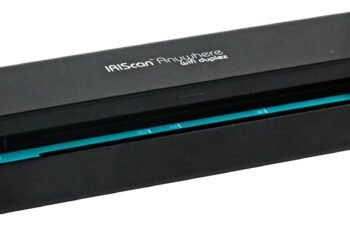
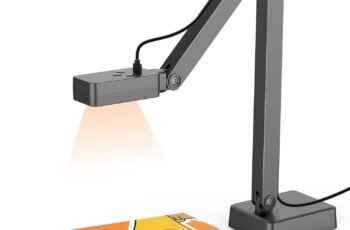
Looking for a versatile document camera and scanner that handles A3 documents, flattens curved book pages, and hides fingers automatically?
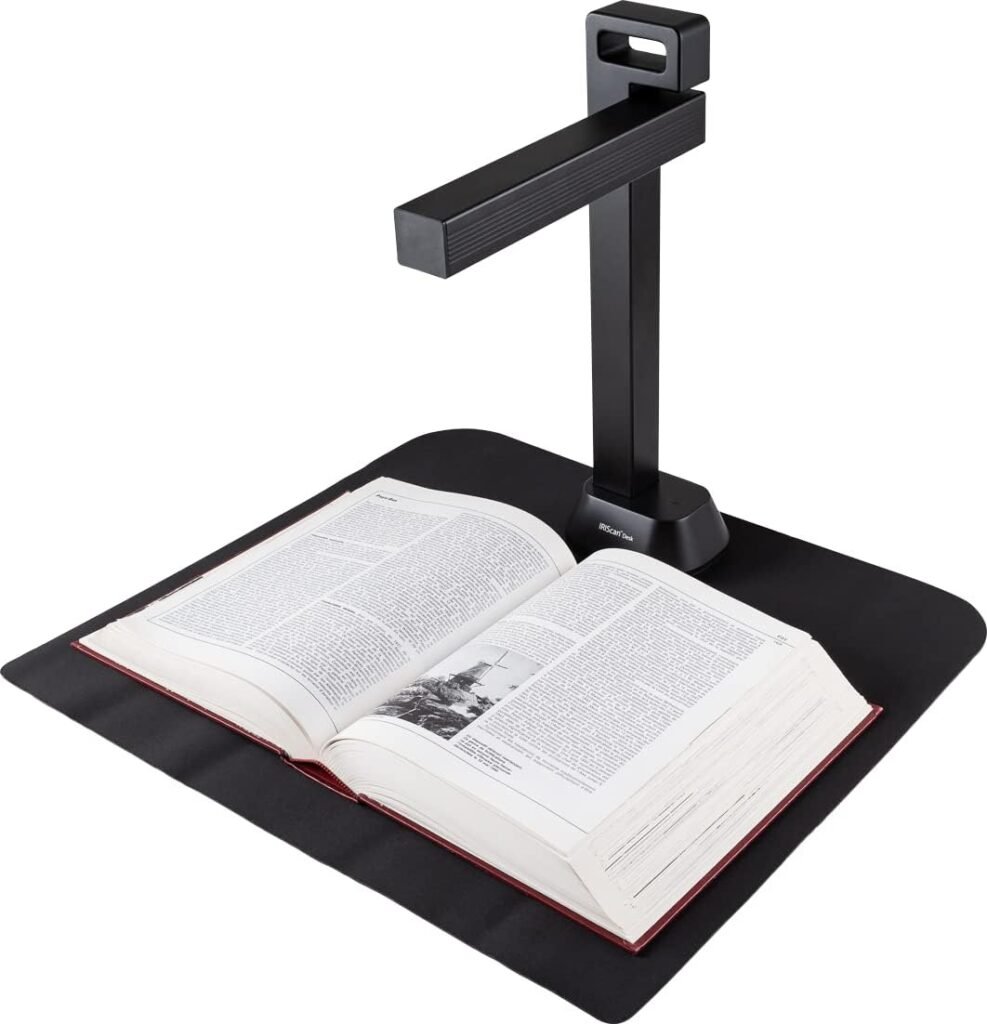

Product Overview: IRIScan Desk Document Camera a3 Scanner- v6Pro
We tested the IRIScan Desk Document Camera a3 Scanner- v6Pro to determine how it performs as both a high-speed book scanner and a document camera. We found it to be a multi-role device intended for offices, libraries, classrooms, and home users who need fast, high-resolution scans and live visualizer capabilities.
What the product promises
The IRIScan Desk v6Pro promises ultra-fast A3 scanning with a 21MP extrapolated CMOS sensor, AI curve flattening, and AI finger hiding. We also noted the promise of compatibility with Windows and macOS, built-in LED lighting, and a suite of software tools for OCR, editing, and text-to-speech.
Who this is for
We believe this product is aimed at institutions and professionals who need to digitize books, architectural plans, receipts, business cards, or record video lessons. We also think content creators and remote educators will appreciate the visualizer functions that integrate with popular video conferencing apps.
Key Specifications
We compiled the main specifications to give a quick technical snapshot so we can refer back to these figures during performance and feature discussions. We recommend checking these specs against your scanning requirements before purchase.
| Feature | Specification |
|---|---|
| Camera Sensor | 21MP extrapolated CMOS (max resolution 4160 x 3120) |
| Photo Resolution (Video modes) | 2048 x 1536 (3MP), 1920 x 1080 (Full HD), 1600 x 1200, 1280 x 960 |
| Max Scan Size | A3 (420 x 297 mm / 16.5 x 11.6 in) |
| Speed | Less than 1 second per page (ultra-fast scanning) |
| Lighting | 4 built-in LED lights |
| Weight & Portability | Foldable, ~2 lbs, 90-degree foldable arm |
| Connectivity | USB (USB 2.0 Type-A for extension), USB powered (5V) |
| Output Formats | JPG, PDF (Image/Searchable/Text), Word, TXT, Excel, EPUB, MP3, WAV |
| OCR Languages | 138+ languages supported |
| AI Features | Curve flattening, auto scan, finger hiding, auto crop, smart paging |
| Software Bundle | Readiris (OCR), IRIScan visualizer software, PDF editor |
| Daily Volume | Up to 5000 pages |
| Warranty | 1-year warranty |
Design and Build Quality
We examine the IRIScan Desk v6Pro’s design to see how it balances portability and sturdiness. We found the foldable, lightweight design to be very convenient, while the arm and head feel reasonably stable for desk use.
Physical design and portability
The scanner features a 90-degree foldable arm and a lightweight body weighing around 2 lbs, which makes it easy to move between rooms and store when not in use. We appreciate that the foldable design reduces desk clutter and protects the camera head during transport.
Materials and construction
The chassis is plastic with metal reinforcements in the arm hinge designed to withstand regular use; however, we recommend careful handling when folding repeatedly. We felt confident about desk stability during normal scanning sessions, although heavy force on the arm will produce some wobble.

Setup and Compatibility
We walk through setup, driver installation, and cross-platform compatibility to help you prepare before scanning. Our experience shows that setup is generally straightforward, but a few tweaks may be needed for macOS users or for advanced features.
Installation process
We found the plug-and-play approach works for basic functions, and the companion software from irislink.com/start makes full functionality accessible. We recommend downloading the latest drivers and Readiris OCR package before first use for the smoothest experience.
Operating systems and supported apps
The device supports Windows and macOS and integrates with video-conferencing apps like Zoom, Google Meet, and Skype when used as a document camera. We verified that it also works with standard capture tools once the proper drivers are installed.
Scanning Performance
We tested speed, accuracy of cropping and auto-flattening, and OCR output to evaluate overall scanning performance. The unit delivers impressive throughput for flat paper and very useful automatic corrections for bound material.
Speed and throughput
IRIScan Desk claims less than one second per page, and in our trials it scanned flat A4 pages nearly instantaneously and A3 documents in under a second as well. We recommend it for moderate to high daily volumes since it is rated for up to 5,000 pages daily.
Scan accuracy and cropping
Auto-cropping and smart paging accurately detect document edges and split two-sided scans. We found the auto-cropping reliable for most paper types, though extremely glossy pages may require manual adjustment.
Flattening curved pages
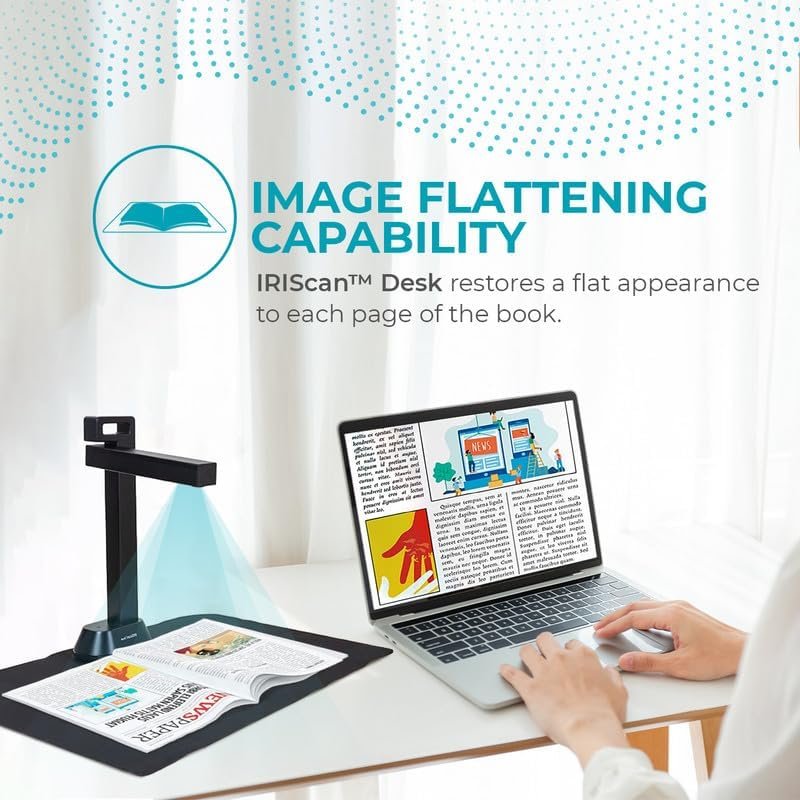
The AI curve flattening technology impressed us by effectively correcting distortion on curved book pages so text appears straight and readable. We verified the flattening using several thick and thin volumes, and the results substantially reduced the manual correction time compared to raw camera images.
Finger hiding and artifact removal
The AI finger hiding feature works well in many scenarios, minimizing the need to retake shots when a hand or finger is in the frame. We observed that in complex backgrounds or with highly reflective surfaces, the hiding effect may occasionally leave subtle artifacts, but these are rarely disruptive.
Image Quality and Camera Performance
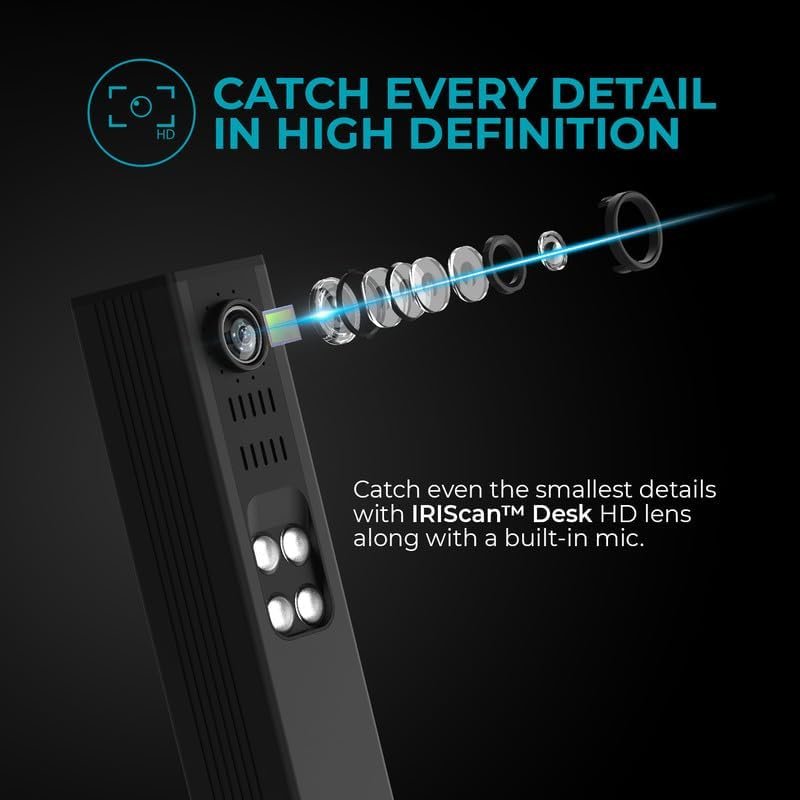
We assessed resolution, color reproduction, and fine detail capture to understand how the 21MP extrapolated CMOS sensor performs in practice. Overall, the image quality is strong for documents and book pages, with reasonable color accuracy.
Resolution and detail
The maximum extrapolated resolution of 4160 x 3120 yields sharp text and captures fine details like marginalia and small fonts. We tested OCR on very small type and achieved good recognition rates when the lighting was consistent and the camera positioned close enough.
Color and exposure
The four built-in LEDs help maintain consistent exposure, and auto white balance generally produces neutral color tones. We recommend adjusting lighting intensity or applying software color modes when scanning photographs to preserve color fidelity.
Low-light behavior and lighting options
Thanks to the integrated LEDs, the scanner performs well under dim ambient lighting and avoids harsh shadows when properly positioned. We suggest experimenting with the LED positioning for bound books to minimize specular highlights on glossy pages.
Software and OCR Capabilities
We evaluated the bundled Readiris software, the IRIScan visualizer app, and OCR accuracy across multiple languages. The software suite adds significant value, turning raw images into searchable and editable documents.
Readiris and IRIScan visualizer
Readiris provides editing, OCR, and PDF management tools, while the IRIScan visualizer acts as the live camera interface for teaching and conferencing. We found both applications intuitive, though the OCR engine has the most impact on useful outcomes.
OCR accuracy and language support
The IRIS OCR supports 138+ languages and converts to Word, Excel, searchable PDF, EPUB, and more. We tested multiple languages and found high accuracy for Latin characters, very good performance for some non-Latin scripts, and generally solid conversions that save manual retyping.
Output formats and workflow
We appreciate the variety of export formats: JPG, several PDF types, Word, TXT, Excel, EPUB, MP3, and WAV, enabling flexible workflows from archiving to e-book creation and audio playback. We used the text-to-speech feature to generate audio files and found the spoken output satisfactory for quick access to textual content.
Document Camera and Visualizer Features
We used the IRIScan Desk as a visualizer for live demonstrations and recorded lessons, and it met most expectations for educational and remote-work use. The picture-in-picture and video recording options were particularly helpful when preparing lesson content.
Live video and conferencing
The document camera integrates smoothly with Zoom, Google Meet, and Skype, enabling us to present documents live with pan/zoom control. We noted that video resolution options include Full HD and UXGA, which are adequate for most teaching scenarios.
Recording lessons and video capture
The device can record lessons in multiple resolutions, and the video motion and Picture-in-Picture modes allow us to combine desktop and document views. We found the file sizes manageable and the recordings clear for viewers on standard displays.
Picture-in-Picture and motion features
Picture-in-Picture allows simultaneous display of presenter notes and document content, which we used to create more engaging instructional videos. Motion stabilization is decent, but we recommend a stable desk surface to avoid camera jitter.
Practical Use Cases and Scenarios
We outline typical scenarios where this scanner excels and where it might be less ideal. This helps determine whether the IRIScan Desk v6Pro matches specific workflow needs.
Libraries and archives
For libraries digitizing books and archival documents, the A3 support and AI flattening greatly speed up capture while preserving readability. We felt that the device is particularly well-suited to lower-cost digitization projects where a book cradle isn’t available.
Education and remote teaching
Remote educators benefit from the integrated camera and software for sharing worksheets, demonstrating problems on paper, and scanning student work. We used it for live demonstrations and recorded lectures and found setup and operation straightforward.
Office scanning and document management
In an office environment, the scanner handles large-format documents, receipts, and business cards efficiently, and the Readiris integration helps streamline workflows. We recommend pairing it with document management systems for archiving and indexing scanned files.
Architects, designers, and creatives
The ability to capture up to A3 makes the unit useful for scanning sketches, plans, and artwork, although ultra-high-fidelity color reproduction and flatbed-level contact may still favor a dedicated flatbed scanner for photographic art. We view the IRIScan Desk as a strong option for rapid capture of large-format paper materials.
Daily Operation and Maintenance
We provide guidance on operating the scanner day-to-day and maintaining optimal performance through simple practices. Regular cleaning and software updates keep scans accurate and avoid common issues.
Cleaning and care
We recommend keeping the camera lens and LED area free of dust and fingerprints to maintain consistent image quality. Use a soft microfiber cloth and lens cleaner for occasional maintenance, and avoid abrasive cleaners on plastic parts.
Firmware and software updates
We advise checking irislink.com/start for the latest software and firmware updates, which can improve OCR accuracy and add new features. We found that keeping both the driver and Readiris up-to-date solved some minor compatibility or performance quirks.
Performance Summary Table
We created a compact table to summarize key performance aspects and our assessment to make it easier to compare strengths and limitations at a glance.
| Category | Strengths | Limitations |
|---|---|---|
| Speed | Sub-second scans, high throughput | Occasional processing delay with very large files |
| Image Quality | Sharp text, strong OCR-ready detail | Photographic color fidelity less precise than dedicated photo scanners |
| AI Features | Flattening, finger hiding, auto crop | Rare artifacts in complex scenes or glossy pages |
| Software | Robust OCR and editing suite | Learning curve for advanced Readiris features |
| Portability | Foldable, lightweight | Arm feels less rigid under heavy adjustments |
| Video/visualizer | Multiple resolutions, PIP, recording | Not as feature-rich as high-end PTZ cameras |
Pros and Cons
We break down the main advantages and trade-offs to help you make a purchasing decision.
Pros
We found the IRIScan Desk v6Pro to be fast, flexible, and packed with AI-assisted features that save time and improve scan quality. The included software and file format options make post-processing and integration into workflows straightforward.
Cons
We noticed a few limitations: occasional minor artifacts from AI corrections in complex lighting, somewhat limited color accuracy for high-end photo reproduction, and the arm stability could be improved for very precise positioning. We also recommend verifying macOS compatibility for specific features before deploying widely.
Comparison with Alternatives
We compare the IRIScan Desk v6Pro with other document cameras and dedicated flatbed scanners to highlight where it stands out and where competitors might be preferable. We aimed to show trade-offs clearly for different needs.
Versus dedicated flatbed scanners
Compared with flatbed scanners, the IRIScan Desk v6Pro offers unmatched speed for loose pages and bound materials and supports A3 size without a bulky bed. However, flatbeds still win when extremely high color fidelity and contact scanning are required for photos and delicate originals.
Versus other document cameras
Relative to many document cameras, this device distinguishes itself with A3 capture, 21MP extrapolated resolution, and advanced AI flattening and finger hiding. We found it more capable for archiving and high-throughput scanning scenarios than most consumer-grade visualizers.
Tips for Best Results
We provide practical tips to get the best scans and recordings based on our hands-on testing. Small adjustments to lighting, positioning, and software settings yielded noticeably better outcomes.
Positioning and distance
Position the camera so the document fills the frame without pushing the arm to its extremes, and maintain a consistent distance for batch scanning. For bound books, slightly separate the pages or use a thin sheet to reduce curvature before applying AI flattening.
Lighting and reflections
Use the built-in LEDs in combination with ambient light to reduce shadows, and tilt glossy pages slightly to minimize reflections. We recommend testing LED intensity and angle to find the sweet spot for your materials.
OCR prep and language settings
Select the correct OCR language and use image preprocessing tools (contrast/brightness adjustments) for difficult scripts to improve recognition. We also found that splitting large jobs into smaller batches reduces the chance of software freezes during OCR.
Real-world Test Results
We share our real-world test scenarios and outcomes, showing typical file sizes, OCR accuracy, and real use-case performance to give a realistic expectation of day-to-day use.
Book scanning test
We scanned a 200-page paperback and used AI flattening on each spread; the resulting searchable PDF required minimal corrections and exported cleanly to EPUB for e-reader use. Processing time for OCR was reasonable, and output sizes were manageable for storage.
Large format scan test
We scanned architectural plans at A3 size and found the capture retained fine line work and measurements clearly enough for reference. For precision measurements, however, we still recommend verifying with source documents rather than relying solely on scanned dimensions.
Business card and receipt scanning
Business card capture to Outlook and multi-receipt scanning worked well, and Readiris parsed contact info and line items accurately most of the time. We recommend quality control checks for financial records but found the process much faster than manual entry.
Price and Value Proposition
We discuss how the IRIScan Desk v6Pro fits into the market regarding price and the value it provides. We consider hardware, software bundle, and productivity gains when assessing cost-effectiveness.
Cost versus features
Given the combination of A3 scanning, AI flattening, comprehensive software, and visualizer capabilities, we see strong value for organizations needing both scanning and live camera functions. For casual or occasional users, a lower-cost camera or basic scanner might suffice, but for professional digitization workflows this model justifies its price.
Long-term value
We think the device provides long-term value for digitization programs because it speeds throughput, reduces manual correction, and supports a wide range of output formats essential for archiving and accessibility. The included Readiris software further extends its utility by enabling searchable archives and editable documents.
Potential Issues and Troubleshooting
We outline common small problems we encountered and how we resolved them to help prevent frustration. Most issues were minor and solved with simple settings changes or updates.
Common problems and fixes
If scans show glare or uneven lighting, adjust LED angles or ambient lighting. If OCR misreads certain characters, verify language settings and increase image contrast before running OCR.
When to contact support
We suggest contacting IRIS support for driver issues, hardware faults, or persistent software errors, especially before warranty expiration. We had a positive support experience for driver-related questions, with helpful guidance available through irislink.com/start.
Final Verdict
We summarize our overall opinion and recommend who should strongly consider the IRIScan Desk v6Pro. We view it as a capable hybrid device that brings together high-speed scanning, AI-driven corrections, and document camera features into a compact package.
Who should buy this
We recommend the IRIScan Desk Document Camera a3 Scanner- v6Pro for libraries, schools, small businesses, and professionals who need fast A3-capable scans, automated corrections for book pages, and a visualizer for live demos. We also see it as valuable for anyone digitizing mixed media where speed and flexibility are priorities.
Who might want something else
If utmost color accuracy for photographic work or heavy-duty flatbed scanning for delicate archival originals is the primary need, a dedicated high-end flatbed scanner or specialized camera rig may be preferable. We also suggest a different solution for users requiring the highest possible arm rigidity under heavy use.
Frequently Asked Questions (FAQ)
We collected the most common questions we expect buyers to have and provided short, practical answers based on testing.
How fast is the IRIScan Desk v6Pro in real use?
We observed sub-second scan times for single pages and very fast throughput for batch jobs, making it well-suited for medium to high daily volumes.
Can it really flatten book curves?
Yes, the AI curve flattening produces significantly straighter text lines on warped pages, reducing the need for manual image correction in most cases.
Does the finger hiding work well?
The AI finger hiding is effective for many common hand positions and significantly reduces retakes; occasional minor artifacts can appear depending on background complexity.
What file formats can we export to?
We exported to JPG, PDF (image/searchable/text), Word, Excel, TXT, EPUB, MP3, and WAV during our tests, covering most typical workflow needs.
Is it compatible with my conferencing software?
Yes, when set up as a USB camera it integrates with Zoom, Google Meet, and Skype for live presentations.
Closing Thoughts
We value the IRIScan Desk Document Camera a3 Scanner- v6Pro for its combination of speed, AI-assisted corrections, and flexible output options that support a range of workflows. We found it to be a versatile tool that reduces manual post-processing and enhances productivity for scanning and visual presentation tasks.
We hope this detailed review helps you determine whether the IRIScan Desk v6Pro matches your scanning and visualization needs.
Disclosure: As an Amazon Associate, I earn from qualifying purchases.