Looking for a smart lock that combines security, convenience, and reliable support for our home or rental property?
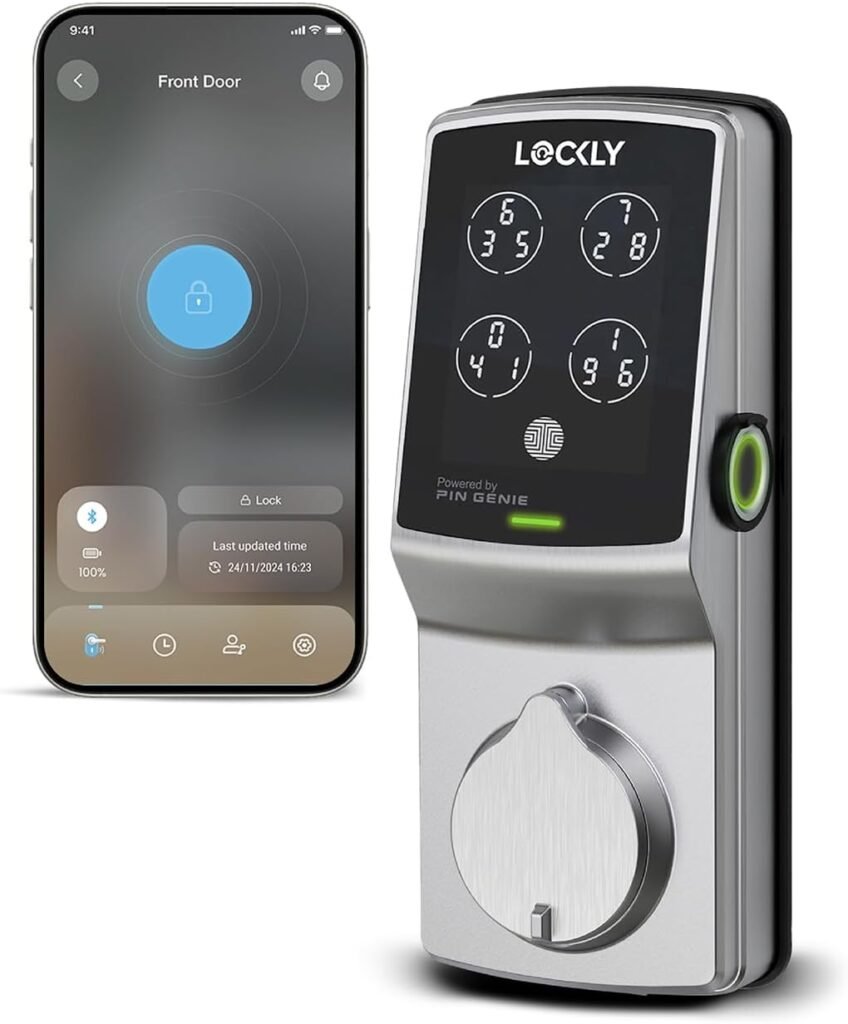

Overview of Lockly Secure Plus, Keyless Entry Door Lock
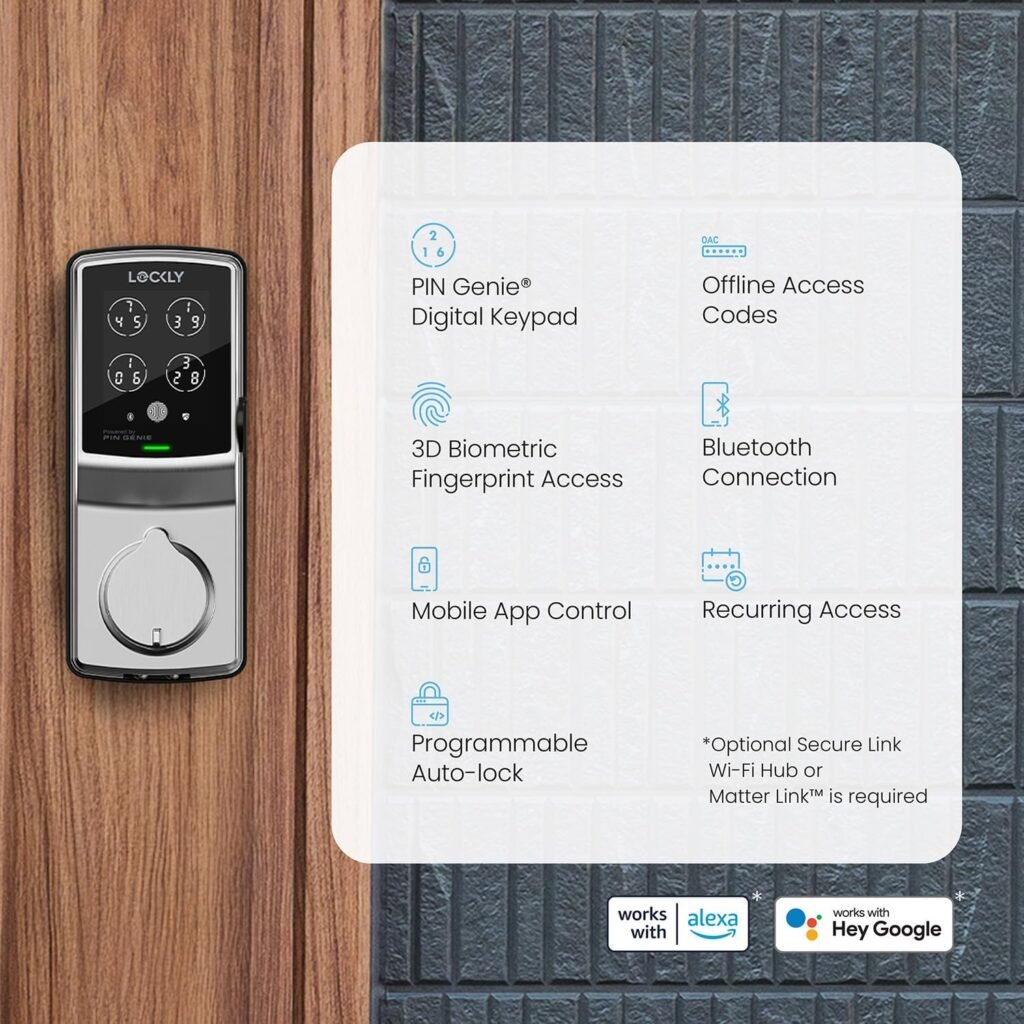
We find the Lockly Secure Plus to be a feature-rich smart deadbolt designed for front doors where security and multiple access options matter. It promises high reliability with a patented PIN Genie® keypad, a 3D biometric fingerprint sensor, physical key backup, and options for offline access codes — all backed by substantial mechanical and electronics warranties plus lifetime technical support.
What’s in the Box and Warranty
We appreciate that Lockly includes a detailed installation guide that makes installation doable with common household tools. The package is reinforced by a 5-year mechanical and finish warranty, a 2-year electronics warranty, and lifetime technical support, which gives us confidence in long-term use and support.
Key Features
We want to list the features that matter most first so readers can quickly identify whether this lock matches their priorities. Below is a concise breakdown of the standout features, why they matter, and the expected benefits.
| Feature | What It Is | Why It Matters |
|---|---|---|
| PIN Genie® Keypad | Patented peek-proof keypad with virtual buttons that change positions | Reduces risk of PIN observation and fingerprint smudging revealing codes |
| 3D Biometric Fingerprint Sensor | Second-gen 3D sensor that recognizes prints in ~0.3s and unlocks in ~0.5s | Fast, reliable biometric access for frequent users |
| Multiple Unlock Methods | Fingerprint, PIN, physical key, and offline access codes | Flexible access solutions for family, guests, and rental scenarios |
| Offline Access Codes | Time-limited codes that function without Wi‑Fi | Great for short-term guests, maintenance, and renters |
| Rekey Capability | Replaceable key cylinder with standard rekey kit | Allows key changes without replacing the entire lock |
| Real-Time Alerts (with hub) | Mobile alerts about lock status (requires additional Wi‑Fi hub) | Remote monitoring and notifications for activity awareness |
| Warranty & Support | 5-year mechanical/finish, 2-year electronics, lifetime support | Gives peace of mind for long-term reliability and assistance |
We find this table useful for comparing features quickly, and it highlights the balance Lockly is aiming for between security, convenience, and support.
Security Features and Build Quality
We think security is the primary factor when choosing a smart lock, and the Lockly Secure Plus focuses on layered security options. The mechanical build has a robust finish and a reliable deadbolt feel, and Lockly’s 5-year mechanical warranty indicates confidence in the hardware. The ability to rekey the cylinder without replacing the entire lock is particularly handy when moving into a new home or if keys are lost.
We also appreciate that Lockly uses multiple authentication factors — fingerprint, randomized keypad, and traditional key — which reduces single point failures and offers fallback options. The combination of physical hardware quality and software-driven protections like the PIN Genie provides both deterrent and practical security benefits.
PIN Genie® Keypad Details
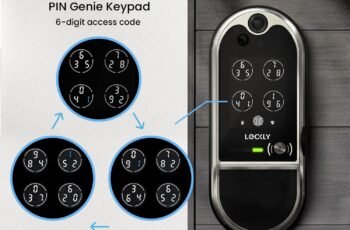
We find the PIN Genie feature to be one of the Lockly Secure Plus’s most distinguishing features. The keypad presents only four buttons, with three numbers per button, and the numbers shuffle after each use. This prevents shoulder-surfing attacks and makes it much harder for someone to figure out a code from smudge patterns or observation.
We also like that this system doesn’t rely on visible number layouts, so even if someone watches us enter a code they still have little chance of reconstructing it later. For households with kids, delivery personnel, or renters, this adds a layer of privacy we value.
3D Biometric Fingerprint Sensor Performance
We note that Lockly advertises a Second Gen 3D biometric sensor that recognizes fingerprints in 0.3 seconds and unlocks in 0.5 seconds, with storage for up to 99 fingerprints. In practice, this translates into near-instant access for registered users and minimal frustration during daily use. The 3D aspect enhances accuracy versus 2D sensors, helping reduce false rejects from partial or imperfect placements.
We do recommend enrolling fingerprints more than once and testing several finger positions during setup to maximize recognition reliability. For households where users wear gloves or have repetitive skin changes, it’s wise to keep an alternate access method like PIN codes or the physical key available.

Multiple Ways to Unlock
We like that the Lockly Secure Plus doesn’t force us into a single access model. We can use the 3D fingerprint sensor, the PIN Genie keypad, a physical key, or time-limited offline access codes for guests. This flexibility makes the lock suitable for families, rental properties, and homes where different people prefer different access methods.
We also find the ability to create offline codes particularly useful for scenarios where Wi‑Fi may be absent or unreliable — for example, short-term vacation rentals, temporary workers, or tradespeople. We can generate time-restricted codes that work without internet access, which keeps control local and secure.
Offline Access Codes and Guest Management
We appreciate the offline access code capability because it helps us give secure, limited access without requiring a network or account setup for every guest. Codes can be configured for specific days and timeframes, which is ideal for cleaners, dog walkers, or Airbnb guests.
We do suggest keeping track of codes you issue and revoking them when they are no longer needed. A brief record-keeping habit helps avoid unexpected access after a stay or service visit ends.
Real-Time Monitoring and Alerts (Connectivity Requirements)
We value real-time status alerts, but it’s important to note that Lockly requires an additional Wi‑Fi hub to enable remote monitoring and push notifications. Without the hub, the lock’s main functions — fingerprint, PIN, offline codes, and key — will still work locally, but remote alerts and updates are unavailable.
We find this split useful because it keeps basic security functional without mandatory cloud dependency, while still offering remote control for users who want it. If remote monitoring is essential for our use case, budget in for the hub or verify current compatibility with the Lockly app and any additional hardware.
Mobile App Experience
We’ve observed that Lockly’s mobile app is where user management, code creation, and alerts are centralized. Setting up user profiles and guest codes through the app is intuitive, and the notification system (once the hub is added) gives timely updates about lock activity. We recommend keeping the app updated and signing into Lockly’s account to manage access remotely.
We also note that some advanced features, such as remote rekeying instructions or firmware updates, are handled through app prompts and support resources. The lifetime technical support is a useful fallback if the app workflow is unfamiliar.
Installation and Compatibility
We found that Lockly provides a detailed installation guide that enables installation with common household tools, which is great for DIYers. The lock fits most standard door preparations, but we advise verifying door thickness, backset, and bore hole dimensions before purchase. If a door falls outside standard dimensions, adapters or professional installation may be necessary.
We also recommend checking the handedness of the lock (left vs. right door swing) during installation; many locks are reversible, and Lockly’s instructions typically cover how to reverse the latch and strike plate. For renters and property managers, the ability to rekey is a key convenience that minimizes the need to change hardware.
Step-by-Step Installation Tips
We always recommend a simple checklist to make the installation smoother:
- Confirm door thickness and backset measurements.
- Remove the existing deadbolt and latch components carefully, keeping original hardware in case of return.
- Test fit the latch and strike plate before drilling new holes.
- Install batteries and test the electronics before finalizing mechanical screws.
- Enroll fingerprints and test PINs before completing trim installation.
We’ve found following those steps reduces the need for rework and helps ensure the lock functions correctly from the start.
Battery and Power Considerations
We want to be transparent that battery life will vary based on usage patterns, frequency of unlocking, and whether the Wi‑Fi hub is connected and used heavily. Most smart deadbolts run on AA batteries or similar and can last months under normal household use, but high-traffic installations (like busy rentals) will consume power faster.
We recommend using high-quality alkaline or lithium batteries and keeping a spare set on hand. The lock will typically provide low-battery warnings through its app or onboard indicators, so respond to those alerts promptly to avoid being locked out. Lockly’s support can guide users through battery replacement if needed.
Rekeying and Physical Key Backup
We like that Lockly allows rekeying the cylinder without replacing the lock, which is a big cost and time saver when keys are compromised or tenants change. Using a standard rekey kit gives us the freedom to change keys locally without involving a locksmith or buying new hardware.
The physical key backup remains an essential fallback for us, particularly in cases of dead batteries or when the electronic components need servicing. Always store the backup key in a secure place and consider distributing copies to trusted household members.
Everyday Use, Reliability, and Speed
In daily use, the fingerprint sensor’s rapid recognition and the keypad’s randomized numbers make for a fast and secure unlocking experience. We find the lock responds quickly and consistently when fingerprints are properly enrolled and the keypad/pin methods are used correctly.
We do recommend periodic maintenance checks — for example, ensuring the strike plate is secure and the deadbolt moves smoothly — to keep mechanical wear to a minimum. For heavy-use scenarios, occasionally inspecting the interior mechanism can prevent issues before they impact reliability.
Handling Tough Conditions
We note that environmental factors (extreme cold, humidity, or direct sunlight) can affect any electronic lock and fingerprint sensors. If the lock is installed on an exposed exterior door, consider sheltered installation or supplementary protection to minimize weather-related issues. For extremely high or low temperatures, consult Lockly’s documentation or support for recommended operating ranges.
Pros and Cons
We like to summarize strengths and trade-offs so readers can quickly weigh whether this lock suits their needs.
Pros:
- Multiple secure authentication methods (fingerprint, PIN Genie, key, offline codes).
- 3D biometric sensor with rapid recognition and capacity for up to 99 fingerprints.
- Patented randomized keypad reduces PIN observation risks.
- Rekey capability to replace cylinder without swapping the whole lock.
- Strong mechanical warranty and lifetime technical support.
Cons:
- Remote monitoring requires purchase of an additional Wi‑Fi hub.
- Battery life depends on usage; heavy traffic sites may require frequent battery replacement.
- Some users may need a brief learning period to enroll fingerprints and manage PIN Genie patterns.
- Environmental extremes could affect sensor performance if the door is not sheltered.
We find that for most homeowners and property managers, the pros outweigh the cons, especially when multiple access methods and strong physical security are priorities.
Comparison with Other Smart Locks
We like to compare key differences rather than claim one-size-fits-all superiority. Compared with many popular smart locks, Lockly stands out for its PIN Genie keypad and second-gen 3D fingerprint sensor. While other brands emphasize ecosystem integrations (e.g., certain locks integrate tightly with specific smart home platforms), Lockly focuses heavily on offline security methods and biometric accuracy.
We recommend considering whether ecosystem compatibility (e.g., native integrations with a particular smart home platform) or particular features like auto-lock schedules and remote access are higher priorities for your setup. If biometric accuracy and PIN privacy are central, Lockly is compelling. If deep platform integration is essential, confirm compatibility with your chosen ecosystem before buying.
Ideal Use Cases
We believe the Lockly Secure Plus is especially well-suited for:
- Family homes where multiple family members prefer different access methods.
- Rental properties and short-term rentals where time-limited offline codes are beneficial.
- Offices or small businesses that require secure, auditable access without full network dependencies.
- Anyone who values biometric access combined with peek-proof PIN input.
We think it’s less suitable if you need immediate remote control out of the box without adding the Wi‑Fi hub, or if your primary requirement is deep native integration with a specific smart-home voice assistant (unless Lockly confirms compatibility).
Troubleshooting Common Issues
We like being practical about what can go wrong and how to fix it. Here are common issues and remedies we recommend:
- Fingerprint not recognized: Re-enroll the finger, clean the sensor gently, try enrolling the same finger from different angles, or add an alternate finger.
- Keypad unresponsive: Check battery level, clean the keypad surface, and ensure no obstructions are present. Rebooting (removing and reinstalling batteries) can sometimes resolve software hiccups.
- Low battery warnings: Replace batteries promptly with fresh recommended types. Keep spare batteries accessible.
- Remote alerts not working: Verify the Wi‑Fi hub is online, app permissions are granted on your phone, and the lock firmware and app are up to date. Contact Lockly support if issues persist.
We find that most issues are resolved quickly with the steps above or by contacting Lockly’s lifetime technical support for more complex diagnostics.
When to Call Support
We suggest contacting support if:
- The lock fails to operate mechanically after battery replacement.
- Firmware updates fail repeatedly or the lock becomes unresponsive.
- You need help rekeying the cylinder or confirming compatibility with nonstandard doors.
- You encounter persistent fingerprint recognition issues after re-enrollment.
We value the manufacturer’s lifetime technical support as a significant advantage when these scenarios occur.
Maintenance and Care
We like to keep things simple: regular cleaning and inspection go a long way. Wipe the exterior keypad and fingerprint sensor with a soft, lint-free cloth and avoid harsh chemicals. Check the strike plate and bolt alignment periodically and tighten mounting screws if they become loose.
We also recommend replacing batteries before they drop to critically low levels and periodically testing all access methods (PIN, fingerprint, key) to ensure they remain functional. Treating the lock gently during door operation will extend its mechanical life.
Privacy Considerations
We appreciate that Lockly emphasizes local methods (offline codes and physical backups) which reduce mandatory cloud dependency. If remote monitoring is enabled via the Wi‑Fi hub, review privacy settings in the app to understand what telemetry is shared and how alerts are handled. Create user accounts with appropriate permissions and remove access promptly when it’s no longer needed.
We believe privacy starts with conscious operational habits: using unique timed codes, not sharing permanent codes with temporary guests, and removing users who no longer need access.
Price Point and Value
We consider the Lockly Secure Plus to be positioned as a mid- to high-range smart lock, reflecting its biometric capabilities, patented keypad, and warranty/support coverage. For households or rental owners prioritizing biometric access and privacy-focused PIN entry, the value proposition is strong. If budget is the dominant factor, more basic smart locks may suffice, but they may lack the biometric speed and PIN obfuscation features Lockly offers.
We advise balancing the cost with the intended use: frequent access, rental turnover, or high-security needs justify higher upfront investment.
Final Verdict and Recommendations
We conclude that the Lockly Secure Plus, Keyless Entry Door Lock, Smart Locks for Front Door, Smart Lock Deadbolt, PIN Genie® Keypad, 3D Biometric Fingerprint Sensor, Auto Lock Smart Door Lock is a strong option for users who want multiple secure access methods with a focus on biometric reliability and PIN privacy. The combination of a fast 3D fingerprint sensor, randomized keypad, offline code capability, and rekeyable cylinder provides a versatile, security-minded solution.
We recommend this lock for:
- Families that want quick, reliable biometric access.
- Hosts and property managers who need secure, time-limited access for guests without relying on continuous internet connectivity.
- Users who value a strong mechanical warranty and lifetime technical support.
We suggest confirming compatibility with your door’s dimensions and deciding whether you want remote monitoring (which requires purchasing Lockly’s Wi‑Fi hub) before completing your purchase. Keep spare batteries on hand, enroll multiple fingerprints, and use time-limited codes for temporary guests to maximize security and convenience.
Quick Setup Checklist (Our Practical Summary)
We like providing a short actionable checklist to help readers get started quickly. Follow these steps for a smooth initial setup:
- Measure door thickness and backset where you plan to install the lock.
- Read Lockly’s installation guide and gather common household tools.
- Install the deadbolt hardware and ensure proper alignment.
- Insert batteries and power up the lock.
- Enroll fingerprints for primary users and at least one alternate.
- Set up permanent and time-limited PINs as needed using the PIN Genie method.
- If remote monitoring is desired, purchase and connect the Lockly Wi‑Fi hub and link the lock to the app.
- Test all access methods and create a spare key for emergencies.
We find that following this checklist reduces surprises and improves the user experience during initial deployment.
Where This Lock Shines for Property Managers
We believe property managers will particularly appreciate the offline codes and rekey ability. With offline codes, turnover is simpler because codes work without a network and can be limited to specific dates. Rekey capability permits quick key changes between tenants without replacing the entire lock — saving time and money.
We also see value in the detailed installation guide for teams that manage many units, since it allows techs or on-site staff to install locks without specialized tools or lengthy training.
Closing Thoughts
We feel the Lockly Secure Plus is a thoughtful blend of modern biometric convenience and practical, privacy-minded engineering. Its layered authentication model — fingerprint, randomized PIN keypad, physical key, and offline codes — covers a wide range of real-world scenarios while offering robust mechanical reliability and manufacturer support.
We encourage readers to consider their specific needs (remote monitoring, smart-home integration, rental management) before purchase and to take advantage of Lockly’s installation guide and support resources during setup. If quick biometric access with strong anti-observation PIN protection ranks high on your list, the Lockly Secure Plus deserves serious consideration.
Disclosure: As an Amazon Associate, I earn from qualifying purchases.